- Connect to your home WIFI Network (Must be the same network your iAqualink 3.0 antenna is on)
- Download the iAqualink App from the App store
- Open the iAqualink App
- Create an Account
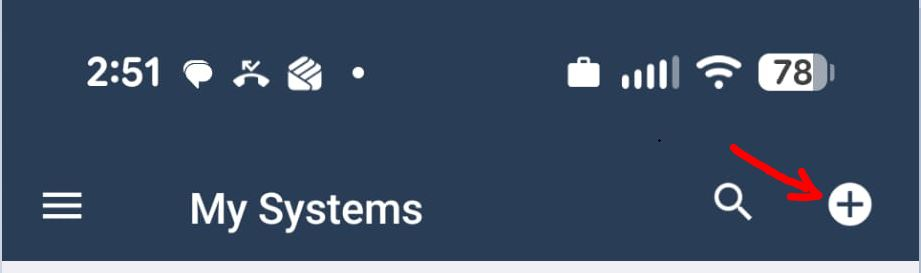
- Tick the + sign to add a new device on the upper left side of the app
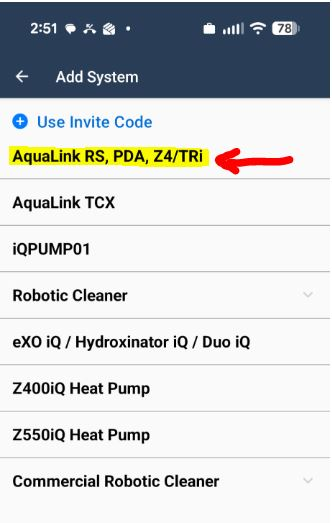
- Select the AquaLinkRS, PDA, Z4/TRi option as highlighted
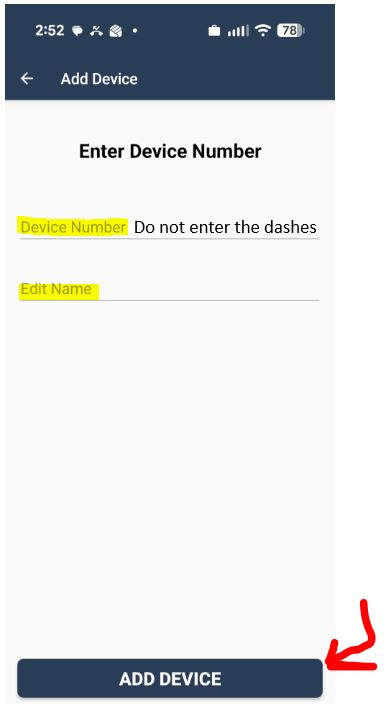
- Enter the Device Number that is on the sticker to side of the antenna. Do not enter the dashes only numbers and letters
- Enter the desired Device Name. i.e. Diego’s Pool
- Tick the Add Device button
That’s it. Your new device should now appear on the My Systems Page of the iAqualink app with the name you have assigned it. You can now monitor and control your pool from anywhere.
If you have any questions or need expert advice